

Download
Download the pack

Child Safeguarding Statement
Some resources and activities may prompt a child to remember and potentially share an experience of harm. Make sure you’re familiar with your school's safeguarding policies and procedures so you can confidently report safety and well-being concerns.
Prepare students for the session by discussing: their right to be safe and respected; what to do if discussing online safety makes them feel uncomfortable or unsafe; and how to seek help if they feel or have felt unsafe. Use this resource available on the website.
Tips & Resources
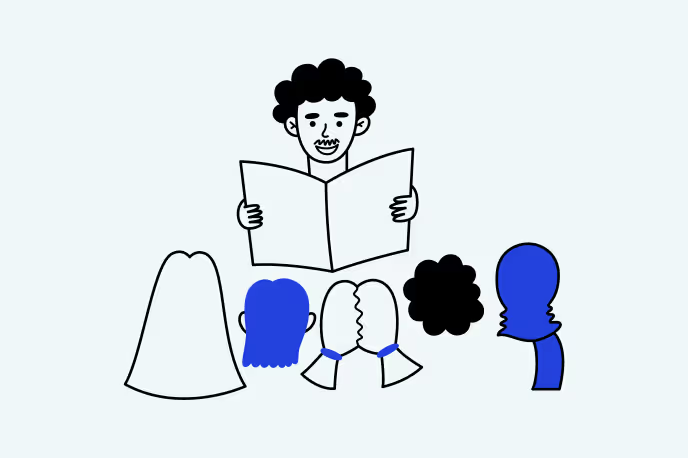
Teaching children safe communication in the digital world

How to stay safe online: Contact risks
Part of the eSmart 4Cs of Online Safety series
The 4Cs group the main online risks children face: Content (what they see), Contact (who they interact with), Conduct (how they behave), and Compulsion (how they manage screen use).
This article focuses on Contact — supporting students to communicate safely online, set boundaries and know when and how to seek help.
Children today are growing up in a connected world where conversations happen as easily through a screen as in the playground. That makes safe online communication one of the most important digital skills.
For teachers, the challenge isn’t whether students will encounter strangers or unwanted messages, it’s how to prepare them for those situations. The good news is that safe online communication can be taught in the same way we teach respectful classroom behaviour: with clear expectations, practice, and reflection.
This article explores what Contact risks are, why they matter, and how you can turn them into teachable moments.
You’ll find:
- Examples of unsafe contact and how to explain them in age-appropriate ways.
- Practical classroom activities that help students set boundaries and practise safe responses.
- Links to ready-made lesson plans you can use straight away.
The goal is to give you the confidence to lead conversations about online safety so your students leave not just aware of the risks, but prepared to handle them.
Why safe online contact matters for students
When students go online, the people they interact with influence what they see, do and share. Contact risks come from interactions that may start harmlessly but can take a worrying turn.
For teachers, the key message is that unsafe contact isn’t always obvious to children. A message that feels harmless (“Hi, want to be friends?”) could be the start of grooming. A casual question (“What’s your birthday?”) could lead to oversharing. Even young people with good intentions can feel unsure about how to respond.
Here’s how you can frame it for your class:
- Start with relevance. Compare online contact to playground interactions: “Just like we don’t talk to strangers in the yard, we need to be careful about who we talk to online.”
- Highlight everyday examples. Show how simple requests (birthdays, school name, photos) can add up to personal information that makes a child traceable.
- Normalise boundaries. Reinforce that it’s okay to say no, block, or report, and that unsafe contact is never a child’s fault.
This also aligns with children’s rights: under the UN Convention on the Rights of the Child, every child has the right to privacy (Article 16) and the right to protection from sexual exploitation and abuse (Article 34). By building these lessons into your classroom, you’re not just teaching digital skills, you’re helping students exercise their rights in the digital world.
What are Contact risks in the digital world?
Contact risks cover a wide range of unsafe interactions that children may encounter online. The challenge for teachers is helping students recognise when something that looks friendly or harmless may in fact be unsafe. Here are some of the most common contact risks – and simple ways to explain them to students:
Stranger contact
- What it looks like: Unsolicited friend requests, direct messages, or chat invites.
- How to explain it: “Sometimes people online try to talk to children they don’t know. Even if they seem friendly, it’s safest not to reply.”
Fake profiles and impersonation
- What it looks like: Someone pretending to be a peer, using a made-up name or stolen photo.
- How to explain it: “Not everyone online is who they say they are. A profile picture might look like a kid your age, but it could belong to an adult you’ve never met.”
Coercion or grooming
- What it looks like: Building trust over time, then asking for private details, images, or secrecy.
- How to explain it: “Some people online start off being nice, but slowly try to get children to do things they don’t want to do. If someone asks you to keep a secret from people you trust, that’s a warning sign.”
Inappropriate requests
- What it looks like: Asking for personal photos, contact details, or to move conversations onto another app.
- How to explain it: “If someone online asks you for a photo or wants to switch to a different app, that’s not safe — even if they sound like a friend.”
Research shows that vulnerable young people, particularly those who are isolated or seeking connection, are more likely to be exposed to manipulation or coercion. That’s why classroom lessons need to go beyond warnings and give students concrete skills for recognising unsafe contact and responding with confidence.
Teaching students about online privacy
Privacy is the first line of defence against unsafe contact. Best privacy practices and safe online communication can be taught just as we teach respectful communication face-to-face. In the classroom, this includes:
- Why privacy is the first defence: Start a discussion by asking: “What information about you could a stranger use to find out more about you?” Write examples like birthdays, schools, or addresses on the board. Then ask students to consider how much a stranger could know if they added those details together.
- How to protect information: Show students a sample social media profile (it could be yours!) and ask them which privacy settings should be used. Discuss limiting what is shared (for example: making accounts private, turning off location sharing or hiding the “friends list”).
- Identifying trusted contacts: Role-play a scenario: a student gets a friend request from someone they don’t know. Ask the class: “What clues can we use to figure out if this person is safe to connect with?” Build a class list of “trusted vs. untrusted” signs.
- Understanding boundaries: Invite students to brainstorm examples of online questions or requests that feel safe, and ones that cross the line (e.g., asking for personal details or to meet up). Compare lists and talk about why some are unsafe, even if they sound friendly.
- Role-playing conversations: Have pairs of students practise what to say if a stranger reaches out online. Prompts could include: “Sorry, I don’t share that online” or “I only chat to people I know in real life.” Encourage polite but firm responses.
- Classroom activity: Provide a fictional student profile with details such as name, birthday, school, hobbies, and photos. Students work in groups to highlight which details are safe to share publicly, and which should stay private.
When schools embed these lessons early, they normalise protective habits that students can carry into their everyday digital lives.
Lesson plan spotlight:

This game promotes discussions about online safety, encouraging cooperation while learning to protect their personal information.
This lesson is from our library of FREE, curriculum-aligned lesson plans, ready to download and use. The lesson plans cover a range of topics and age groups.
Explaining online predators in age-appropriate ways
Talking about predators doesn’t need to frighten students, but it does need to be clear, so they understand how manipulation works and know they can always ask for help. The language and depth you use will depend on the age group:
Early primary (Years 1–2):
Keep it simple and clear.
“Most people online are kind, but sometimes someone might pretend to be a friend when they’re not. If that happens, the best thing you can do is stop talking to them and tell an adult you trust.”
Middle primary (Years 3–4):
Introduce the idea of tricks and pressure.
“Some people online try to win your trust by being nice at first, then later ask for things they shouldn’t - like your photo or where you live. If anyone makes you uncomfortable, it’s not your fault. Block them and get help.”
Upper primary (Years 5–6):
Be more specific about secrecy, grooming and coercion.
“Predators often start small - friendly chats, lots of compliments, or asking you to keep secrets. Over time, they might push for personal details or private pictures. If someone asks you to keep a secret from adults, that’s a big warning sign.”
- Stop the conversation.
- Save the message as evidence.
- Tell a trusted adult right away.
Reinforce that unsafe contact is never the child’s fault. The responsibility always lies with the person crossing boundaries – not the student who received the message.
Lesson plan spotlight:

In this activity, students explore problems and decisions faced online. It encourages boundary-setting, respectful interactions, and assertiveness for online safety.
This lesson is from our library of FREE, curriculum-aligned lesson plans, ready to download and use. The lesson plans cover a range of topics and age groups.
Building confidence through safe communication lessons
The aim of teaching Contact risks is to build young people's resilience and confidence so they can enjoy online communication safely. Students need to know not just what could go wrong, but how they can respond when it does.
Here are some ways to frame this in class:
- Recognise unsafe contact before it escalates: Share examples of common red flags: being asked for personal details, being pressured to keep secrets, or being moved onto another platform. Ask students: “What would you do if you saw this happen?”
- Respond assertively without shame: Encourage short, firm responses like “I don’t share that online” or “I only chat to people I know in real life.” Reinforce that ignoring, blocking, or reporting is not rude, it’s responsible.
- Seek help early: Normalise the idea of telling a trusted adult. Remind students: “If something feels wrong, you won’t get in trouble for speaking up. Adults are here to help, not to blame you.”
When schools consistently teach these skills, students begin to see themselves as capable digital citizens who can enjoy the benefits of online connection while staying safe.
Lesson plan spotlight:
.webp)
Learners explore contact risks by creating a podcast or fact sheet, building skills to stay safe when connecting with others online.
This lesson is from our library of FREE, curriculum-aligned lesson plans, ready to download and use. The lesson plans cover a range of topics and age groups.
Practical classroom strategies for safe communication
Teaching online safety works best when it’s part of everyday classroom life, not just a one-time chat. Students build confidence when they can practise responding to tricky situations and know there’s support if something feels off.
Here are some ways to embed it into daily practice:
- Scenario discussions and role play: Present short “what if” situations (e.g. “You get a message from someone you don’t know asking what school you go to”). Have students work in pairs to decide whether the situation is safe and what action they would take.
- Boundary-setting scripts students can practice: Provide students with sample phrases like “I don’t share that online” or “I only talk to people I know in real life.” Encourage them to role-play saying these responses out loud so they feel natural in the moment.
- Privacy checkpoints: Build in a five-minute “privacy check” activity during ICT lessons where students review which details are safe to share and which should be kept private. This normalises the habit of reviewing settings and information.
- Help-seeking ladders: Create a classroom poster or handout showing the steps for seeking help (block → screenshot/save evidence → tell a trusted adult). Refer to it whenever you talk about unsafe contact so students know they have a clear process.
- Reflection journals to build awareness: Ask students to reflect briefly after an online activity: “How did it feel? Was there anything that made you uncomfortable? Who would you talk to if it did?” This builds awareness and makes help-seeking a routine part of digital life.
This approach provides consistent, research-based learning and a safe space for students to ask questions and raise concerns."
Lesson plan spotlight:
This activity is relevant for students engaging in online activities such as gaming, social media, or messaging services, helping them identify when to seek support before sharing personal information, expanding their understanding of hacking and its impacts.
This lesson is from our library of FREE, curriculum-aligned lesson plans, ready to download and use. The lesson plans cover a range of topics and age groups.
How Contact risks link to the other 4Cs
Contact risks don’t happen in isolation. They often overlap with other areas of online safety, which means teaching about safe communication naturally opens the door to broader lessons in digital citizenship.
Content
Relates to thinking critically about online content.

Conduct
Relates to behaving respectfully online.
Compulsion
Relates to building healthy digital habits.
By making these links explicit, students begin to see digital citizenship not as separate lessons, but as one connected skillset for navigating online life.

The eSmart Digital Licence
Keeping children safe online is not about fear. It’s about giving them the language, habits and confidence to handle tricky moments and make good choices. When students understand what unsafe contact looks like and feel supported in how to respond, they are more likely to take action and reach out for help.
For teachers, the most powerful approach is to keep online safety part of everyday learning. Whether through short conversations, quick role-plays or simple reflections, students begin to treat digital communication with the same care they use face-to-face.
Above all, children need to hear this clearly: unsafe contact is never their fault. Every student has the right to feel safe, the right to privacy and the right to ask for help.
If you’re ready to bring these ideas into your classroom, the eSmart Digital Licence program is a free, flexible resource designed to help every student build the skills for safe and confident online communication.
FAQs: Teaching children about online safety
How can I teach online privacy to primary students?
To effectively teach online privacy to primary students, educators should use a mix of engaging, age appropriate activities that align to the curriculum. The eSmart Digital Licence program provides schools and educators with FREE downloadable lesson plans across the four key online risk areas, with activities and options suited for a range of age groups.
How do I explain online predators to students without scaring them?
It can be difficult to talk to young people about the realities of online dangers without scaring them. The key is to explain the dangers in a way that they understand (for example talking about stranger danger rather than grooming), and teaching them the skills and boundaries they can use even when they don’t fully comprehend the situation. There are excellent online resources available to guide parents and educators through our library.
What free cyber safety lessons are available for schools?
The eSmart Digital Licence is a FREE curriculum-aligned online safety education program, supported by the Australian Government. The program is a comprehensive suite of educator-led lessons for learners aged 4-12 years, easily adaptable to a range of education settings. The free resources include ready-to-use lesson plans, expertly designed, evidence based content, in engaging and customisable learning experiences.