

Download
Download the pack

Child Safeguarding Statement
Some resources and activities may prompt a child to remember and potentially share an experience of harm. Make sure you’re familiar with your school's safeguarding policies and procedures so you can confidently report safety and well-being concerns.
Prepare students for the session by discussing: their right to be safe and respected; what to do if discussing online safety makes them feel uncomfortable or unsafe; and how to seek help if they feel or have felt unsafe. Use this resource available on the website.
Tips & Resources
Help shape our next-generation AI-assisted lesson differentiation tool

We're building IRIS, a new AI assistant that helps educators adapt online safety lessons to their classrooms.
Key takeaways
Where this is at: IRIS is currently in an early stage of development and is not yet available for use. If you'd like to be notified when it's ready, please register your interest using the link at the end of this page.
IRIS is an AI assistant being developed to help educators differentiate online safety lessons for diverse learners.
Save time on lesson preparation by generating adapted activities, visual supports and differentiated learning materials in minutes.
Educators stay in control by reviewing, refining and deciding what works best for their students.
IRIS is being co-designed with educators and we're looking for schools to help shape its development.
Register your interest to join a co-design session, trial future versions, or receive updates as IRIS progresses.
What is IRIS?
IRIS (Inclusive Resource and Instructional Support) is an AI assistant that supports educators in differentiating online safety resources while staying in control of the context, review process and decisions that best support their students.
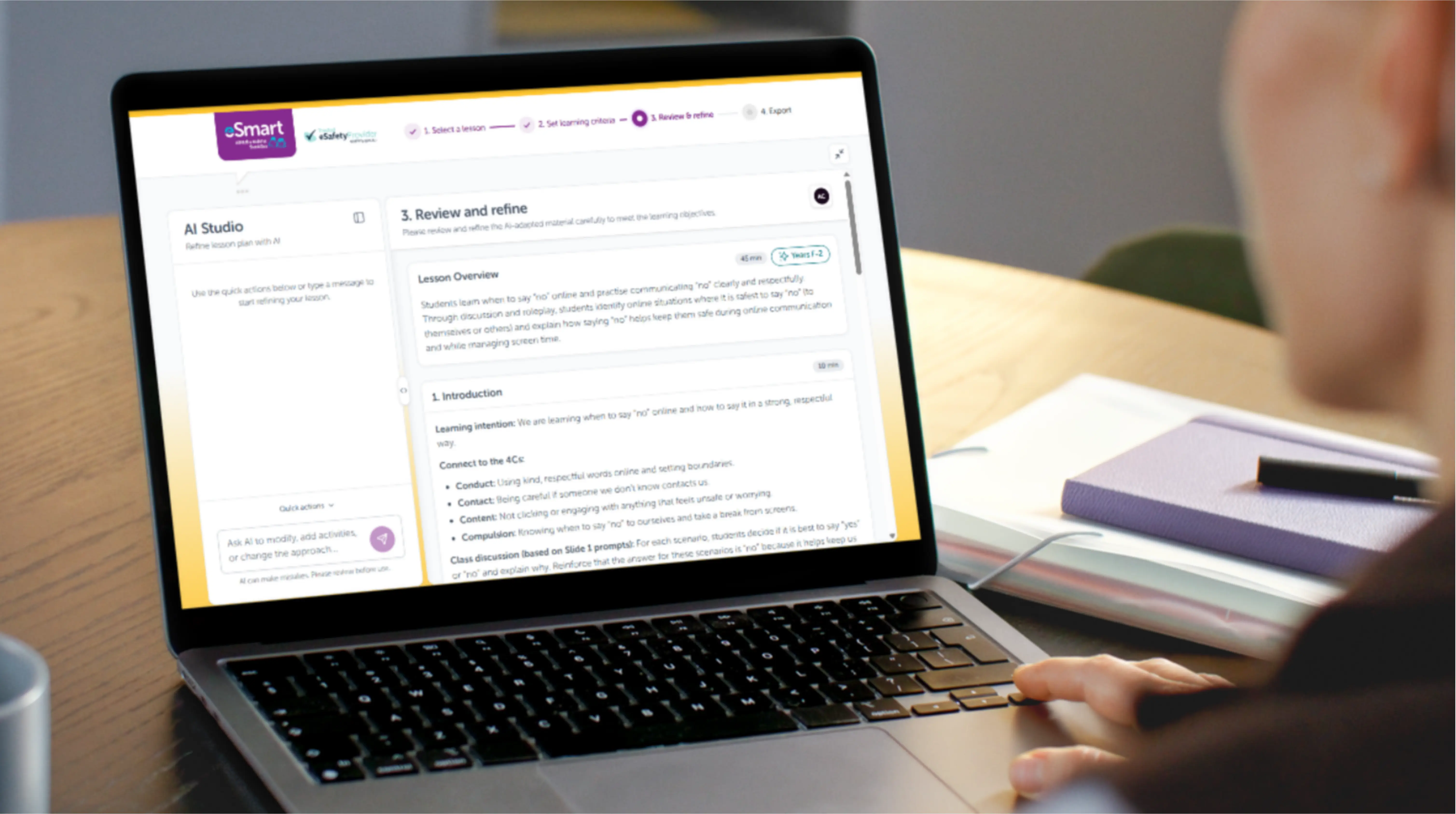
Early development concept of the IRIS interface. The final design may differ as IRIS continues to evolve.
Why are we building IRIS?
Delivering accessible online safety education often requires lessons to be adapted for different communication, learning and support needs through tailored language, visual supports, differentiated activities and personalised learning approaches, sometimes for every student.
Educators have told us differentiation can take up to two hours, for a single lesson, most weeks.
In already stretched school environments, that workload means online safety education can be delayed, delivered less often, or skipped altogether, and the students who most need tailored support can face the greatest barriers to accessing evidence-based online safety education. IRIS was created to help close this gap.
IRIS has been shaped through co-design workshops, pilots and usability testing with educators and that work continues to guide how it's built.
"This project is so important to me; it gives us the ability to find a great solution for specialist schools and really support our students, particularly our vulnerable students, [to stay] safe online!"
Specialist educator, co-design workshop
What IRIS is designed to do
- Create differentiated lessons for students with diverse needs in minutes rather than hours
- Generate accessible teaching supports, including visual and communication supports
- Stay aligned with trusted eSmart lessons and curriculum requirements
- Keep educators in control, with every output reviewed and refined before it's used in a classroom.
What's next
IRIS is currently in its early stages of development. We're building it in smaller stages, testing with educators, gathering feedback, then refining, repeating that cycle a number of times before it's opened up more broadly to Australian schools. It will remain free for all Australian schools: government, independent and Catholic.
Help us shape IRIS
We're looking for educators and ICT / technology leaders, particularly outside Victoria, to help test and refine this tool before it progresses. There are two ways to get involved: join us in co-designing it, or simply register to hear from us once it's ready to use.
- Educators in special education or inclusive settings — trial IRIS and share practical, classroom-based feedback on what works and what doesn't.
- ICT and technology leaders — Help shape IRIS to meet your school’s security, governance and AI-readiness needs.
Register your interest
Take a minute to tell us a little about yourself and choose whether you'd like to:
- Participate in co-design and feedback activities
- Trial future versions of IRIS
- Receive updates on progress and future availability
Have a question in the meantime? Email esmart@amf.org.au.