

Download
Download the pack

Child Safeguarding Statement
Some resources and activities may prompt a child to remember and potentially share an experience of harm. Make sure you’re familiar with your school's safeguarding policies and procedures so you can confidently report safety and well-being concerns.
Prepare students for the session by discussing: their right to be safe and respected; what to do if discussing online safety makes them feel uncomfortable or unsafe; and how to seek help if they feel or have felt unsafe. Use this resource available on the website.
Tips & Resources
The Online Contact Risk Area: A Parent’s Guide

Helping your child build confidence and resilience in their online interactions
You might be reading this because your child is learning about Contact as part of the eSmart Digital Licence program at school. Contact is one of four online risk areas. It's about helping children stay safe in their interactions and know who to trust.
Introducing the Contact risk area
Key takeaways
Online safety is a shared responsibility between school and home and it's an ongoing conversation with your child, not a one-time lesson.
Open communication builds trust. When your child knows they can come to you without judgement, problems get solved earlier.
Small, regular conversations are more effective than big interventions. You don't need to cover everything at once.
These are life skills. Boundary-setting, recognising manipulation, and asking for help are life skills that benefit your child everywhere.
Parental controls are a starting point, not a solution. The goal is helping your child develop the confidence to navigate online interactions safely.
What parents and carers should know
Digital communication helps children stay connected with family and friends, collaborate on schoolwork, and share interests. But not everyone online has good intentions.
Contact risks arise from who your child interacts with online. These include unwanted messages, stranger contact, fake profiles, and attempts to manipulate, coerce, or exploit.
Research from the Australian Centre to Counter Child Exploitation found that 87 per cent of Australian children aged 4 to 7 are using the internet, and 16 per cent of those are unsupervised. Only about half of parents regularly discuss online safety at home. Here's the encouraging news: when children feel safe talking to their parents about what happens online, problems get addressed earlier and relationships grow stronger. That trust is something you can nurture through ongoing, open conversation.
What contact risks look like at different ages
Children aged 4 to 7 are unlikely to use messaging independently, but may encounter chat features in games or apps. At this age, close supervision is appropriate. Teach them that they should only talk to people they know and trust in real life, and always with a parent present.
Children aged 8 to 11 may begin using messaging apps, multiplayer games with chat features, or supervised social platforms. They may receive friend requests from strangers or encounter inappropriate messages. This is the age to establish clear privacy rules and practise responses to uncomfortable contact.
Children aged 12 and older face greater contact risks as their online activity increases. Messaging apps, gaming platforms, and other services all create opportunities for unwanted contact. At this age, open communication becomes even more important.
Practical strategies for home
Set clear privacy rules early
Help your child understand what should never be shared online. This includes their full name, address, phone number, school name, passwords, and photos that show identifying details. Frame these as safety habits, not restrictions—just like looking both ways before crossing the road.
You might say: "We don't share these things online, just like we don't tell strangers our address in the park."
Use the "real life" rule
A simple guideline: "If I don't know them in real life, I don't talk to them online." This doesn't mean your child can never make online friends, but those friendships should happen in age-appropriate spaces and you should know about them.
For gaming platforms, this might mean only using voice chat with real-life friends. The Alannah & Madeline Foundation's DigiTalk guide, Level up: A parent's guide to choosing, protecting and engaging with games for children, has practical advice on disabling chat features and reviewing privacy settings for the games your child plays.
Give them words to use
Children often don't respond to uncomfortable messages because they don't know what to say. Practise responses together so the words feel natural when they need them.
You might practise or role play:
"I don't share that online."
"I only talk to people I know in real life."
"I'm going to block you now."
Know the warning signs
Contact becomes concerning when someone asks your child to keep secrets, requests personal details or photos, tries to move the conversation to a different platform, or makes your child feel pressured or singled out. If something feels wrong, it probably is.
Make reporting judgement-free
Children who feel safe talking to their parents about uncomfortable experiences get help earlier. The most powerful thing you can do is make sure your child knows they can come to you without fear of blame or punishment.
You might say: "If someone online makes you feel weird or uncomfortable, that's not your fault. I am here to help."
Review privacy settings together
Sit down with your child and work through privacy settings as a partnership, not an inspection. Set profiles to private, limit who can send messages, turn off location sharing, and review settings regularly as they grow. This is also a great opportunity for conversation about why these settings matter.
For step-by-step guidance on specific platforms, visit the eSafety Guide
These conversations make a difference
Families who build strong communication around online safety tend to see benefits that extend well beyond the digital world. Children become more confident setting and enforcing boundaries in all areas of life. Problems get reported earlier, before they escalate. And the skills your child develops—recognising manipulation, trusting their instincts, knowing when to ask for help—are life skills that will serve them well into adulthood.
These conversations also strengthen your relationship. When children know they can talk to you about difficult things without judgement, that trust carries over into everything else.
How this connects to other online risks
Safe communication skills don't just help with contact. They also help your child learn to think more about what they see, how they engage with others, and manage their time online.

Content
Relates to thinking critically about online content.

Conduct
Relates to behaving respectfully online.
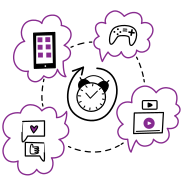
Compulsion
Relates to building healthy digital habits.
FAQs
What should I do if my child shares personal information online?
Stay calm. Help them understand why that information should stay private, and work together to remove or limit the exposure if possible. Focus on learning, not punishment.
Should I check my child's messages?
It depends on their age and maturity. Younger children need closer supervision. As they grow, shift toward regular check-ins and open conversations. Trust and communication tend to work better than surveillance.
How do I teach my child about stranger danger online?
Use the "real life" rule: if they don't know someone in real life, they shouldn't talk to them online. Practise responses they can use if someone they don't know tries to contact them. The eSmart Digital Licence is a free resource that helps educators teach these skills from Foundation to Year 6, giving children more opportunities to discuss and learn in a trusted environment. Consider sharing it with your child's school.
What should I do if my child is contacted by a stranger online?
Thank them for telling you and stay calm. Block the contact together, and report it to the platform. If the contact was threatening or sexual in nature, report it to the eSafety Commissioner or police.
Further reading and references
- Alannah & Madeline Foundation – Level up: A parent's guide to choosing, protecting and engaging with games for children
- eSafety Guide – Privacy and your child
- eSafety Commissioner: Unwanted contact – Australian government guidance on unwanted contact and grooming
- ThinkUKnow Australia – Australian Federal Police program with resources for parents, carers, and children
- Raising Children Network: Online safety – Age-specific advice for Australian families